
AutoSleeper
A Simple Solution for Automated PC Shutdowns
AutoSleeper is a lightweight, open-source Windows application designed to make scheduled computer shutdowns simple, reliable, and accessible. Whether you're downloading large files, running lengthy processes, listening to music, or simply leaving your computer unattended, AutoSleeper allows you to decide exactly when your system should power off without having to monitor it. The project was developed with a clear objective: provide a straightforward utility that performs one task efficiently, without unnecessary complexity, resource-heavy features, or complicated configuration.
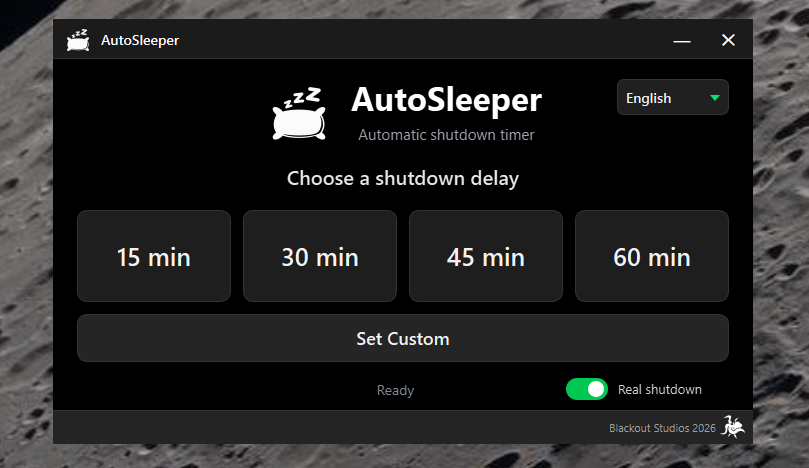
Designed for Simplicity
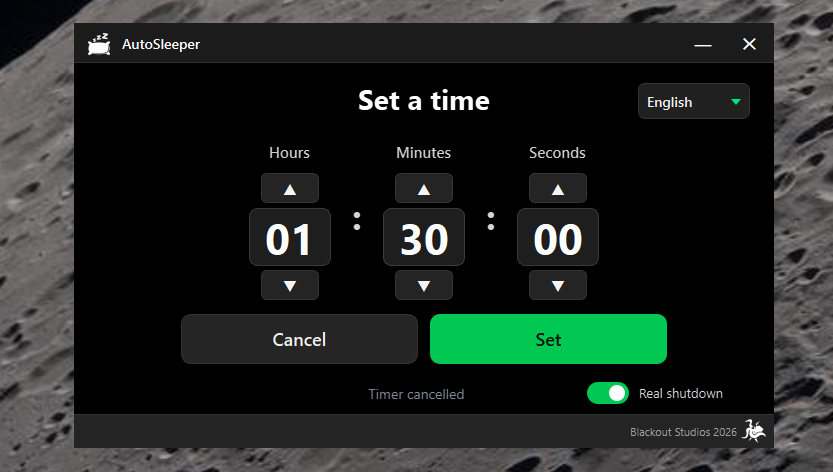
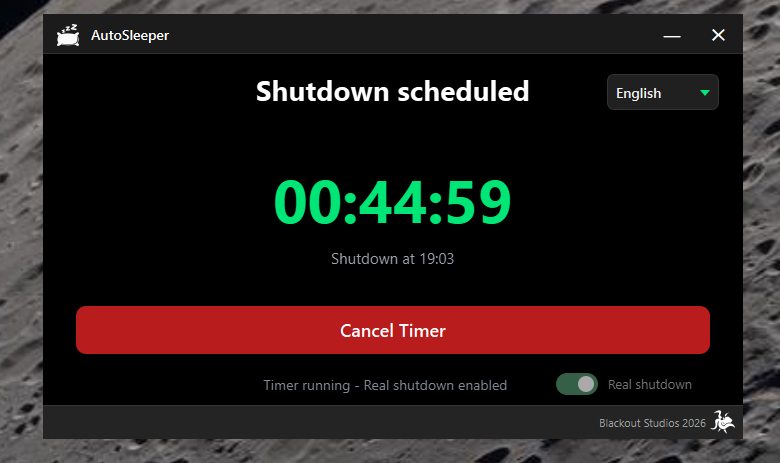
AutoSleeper focuses on delivering an intuitive user experience through a clean, modern interface. Users can quickly schedule a shutdown using four predefined timers — 15, 30, 45, or 60 minutes — or configure a custom countdown with hours, minutes, and seconds. Once activated, the application displays a real-time countdown alongside the expected shutdown time, providing clear information about the scheduled operation. Its dark interface, accented with Matrix-inspired green highlights, offers a distinctive visual identity while keeping the most important controls easy to identify and access.
Background Operation and System Integration
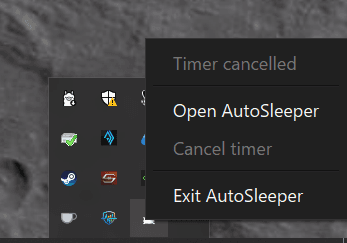
AutoSleeper is designed to operate quietly alongside other applications. Closing its main window minimizes the application to the Windows system tray, allowing the countdown to continue without occupying space on the desktop. The system tray provides direct access to the remaining time, timer cancellation, and application controls. Additional safeguards help maintain predictable behavior. AutoSleeper prevents multiple instances from running simultaneously and automatically cancels active timers when Windows enters sleep mode, avoiding unexpected shutdowns after the system resumes.
Control and Personalization
AutoSleeper includes two operating modes: real shutdown and test mode. Test mode allows users to experiment with countdowns without powering off their computer, while real shutdown mode executes the scheduled Windows shutdown when the timer reaches zero. For new users, real shutdown is disabled by default. Once enabled and confirmed, the application remembers the selected mode for future sessions. The interface is available in English and Spanish, with automatic preference saving to provide a consistent experience between launches.
Built with Python and Qt
AutoSleeper was developed using Python and PySide6, combining Python's flexibility with Qt's powerful desktop application framework. The project uses event-driven components, precise countdown timing, and native Windows integration to deliver a responsive desktop experience. PyInstaller packages the application as a standalone Windows executable, removing the need for users to install Python or manage external dependencies. Development and distribution are managed through Git and GitHub, with GitHub Actions automating testing, Windows executable generation, and release preparation.
Open Source by Design
AutoSleeper is distributed under the MIT License, allowing developers to explore, modify, and build upon its source code. The project reflects a practical development philosophy: identify a real need, build a focused solution, and continuously refine it through thoughtful design and reliable engineering. A small utility, built around a simple idea: your computer should shut down when you want it to.
